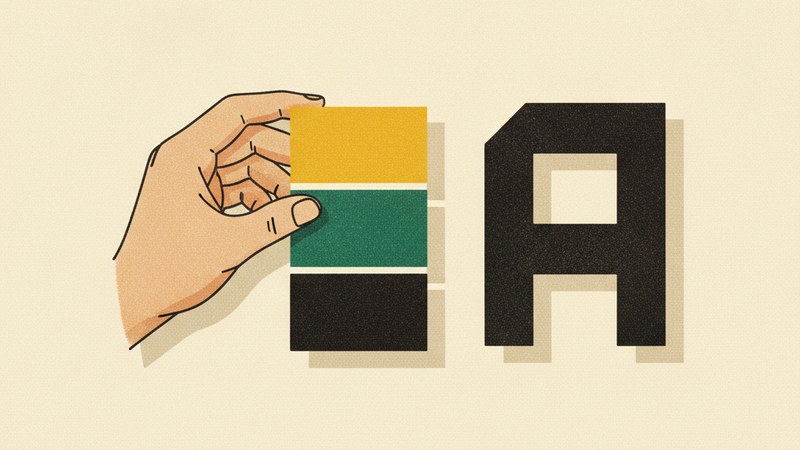
Your brand isn't your logo. It's the feeling someone gets when they see your logo, read your tagline, scroll your website, and open your email — all in the same afternoon. When those touchpoints feel like they belong to the same world, you have a cohesive brand identity. When they don't, you look amateur, no matter how good your product is.
Here's how to build an identity that actually holds together across every channel.
Start With Strategy, Not Pixels
Before you open any design tool, get clear on what you're building.
- Mission: What problem do you solve, and for whom?
- Personality: If your brand were a person, how would they talk? Playful? Precise? Rebellious?
- Positioning: What makes you different from the three closest competitors in your space?
- Audience: Who are you speaking to, and what do they already trust?
Write these down in one page. Every design choice from this point on should trace back to that page. If it doesn't, cut it.
Design a Logo That Can Shrink, Stretch, and Survive
A good logo isn't the one that looks most impressive on a giant screen. It's the one that still works as a 24-pixel favicon, a stitched patch on a hoodie, and a watermark on a dark PDF.
Follow this process:
- Sketch first, software later. Fifty rough concepts on paper beat five polished ones in Figma.
- Build in three versions: a primary (full) logo, a secondary (stacked or horizontal) version, and a submark or icon for tight spaces.
- Test it in black and white. If it doesn't work without color, color won't save it.
- Avoid trends. Gradients, overused script fonts, and generic swooshes age fast. Aim for timeless over clever.
Keep the shape simple enough that someone could describe it over the phone.
Choose a Color Palette With a Job for Every Shade
Random pretty colors are not a palette. A palette has roles.
- Primary color: The hero. Used sparingly for emphasis — buttons, highlights, the logo mark.
- Secondary color: Supports the primary. Often used for backgrounds, section dividers, or accents.
- Neutrals: One or two grays, plus a near-black and an off-white. These do 70% of the heavy lifting on real pages.
- Semantic colors: Success green, warning amber, error red. Keep these consistent and separate from your brand colors.
Check contrast ratios against WCAG AA standards so your text stays readable for everyone. And always define your colors in HEX, RGB, and CMYK — you'll thank yourself when it's time to print.
Pick Typography That Communicates Before It's Read
Fonts carry personality before anyone finishes a sentence. A serif feels established and editorial. A geometric sans feels modern and clean. A monospace feels technical.
A solid typography system usually needs just two typefaces:
- A display font for headlines and hero moments
- A body font that stays comfortable at small sizes and long paragraphs
Then define a type scale — for example, H1 at 48px, H2 at 32px, H3 at 24px, body at 16px, caption at 12px. Lock in line heights (1.4–1.6 for body text works well) and weight choices. Consistency here does more for your brand than any logo ever will.
Build a Mini Brand Guide and Actually Use It
Once your logo, colors, and type are set, document them. A simple one-page brand guide should include:
- Logo versions and clear-space rules
- Color codes with usage ratios
- Typography scale and pairings
- Do's and don'ts with real examples
- Image and photography style notes
Share this with every designer, writer, developer, or freelancer who touches your brand. Discipline here is what separates brands that look professional from brands that look like a mood board exploded.
Keep Testing in the Real World
Your identity isn't finished when the files are exported. Put it on a business card, an Instagram post, a landing page, and an invoice PDF. Look for weak points. Refine quietly. Great brands evolve, but they never contradict themselves.
Ready to shortcut the hard parts? Explore our curated branding templates and identity toolkits on Skillshelf to launch a polished, cohesive brand without starting from a blank canvas.